[ ux ] · UX designer · 4 months
world vision
Designing a more intuitive and emotionally resonant child sponsorship journey for one of the world’s leading humanitarian organisations.
World Vision website ↗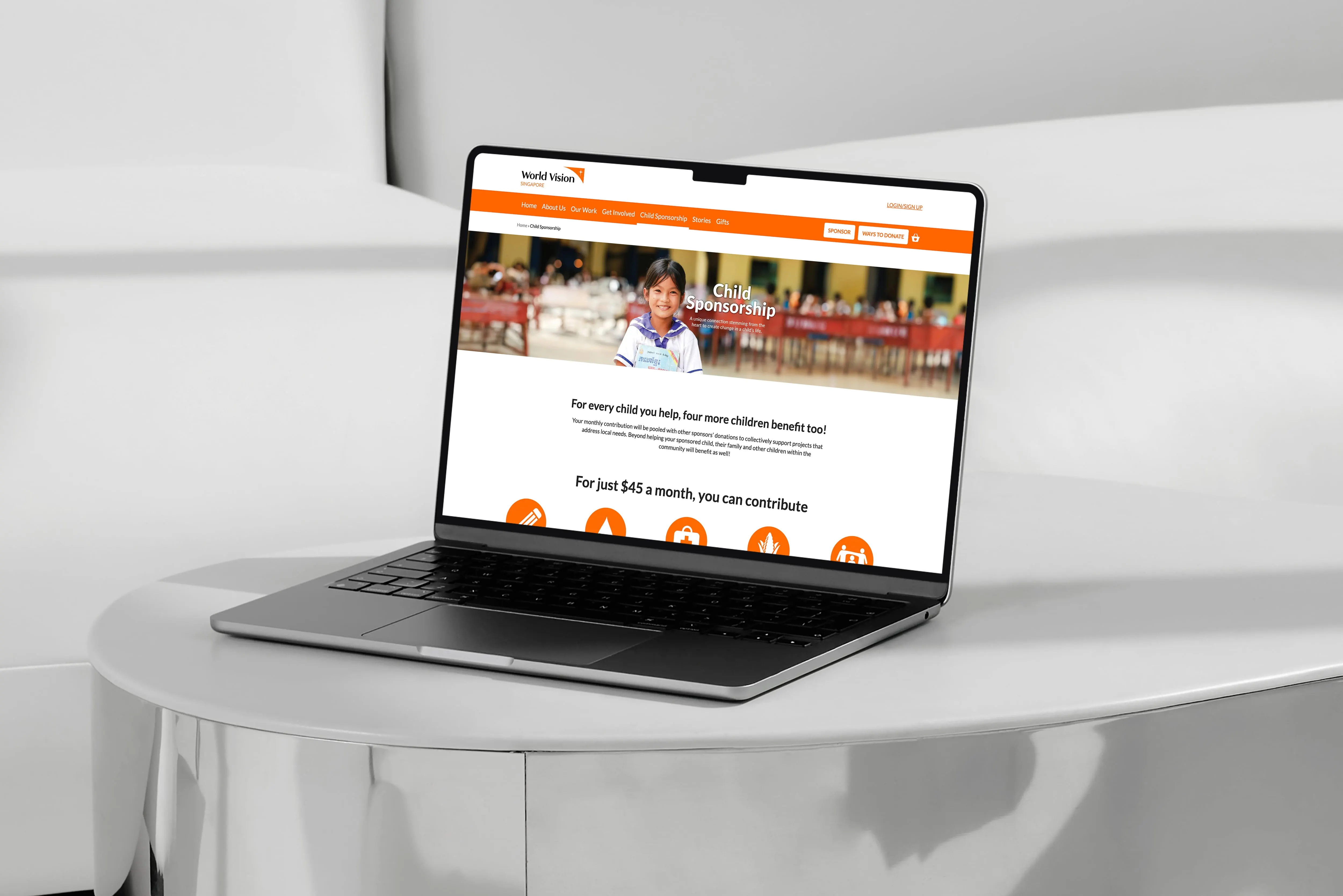
[ background ]
An end-to-end journey for the Child Sponsorship and One-Life-Fund programmes
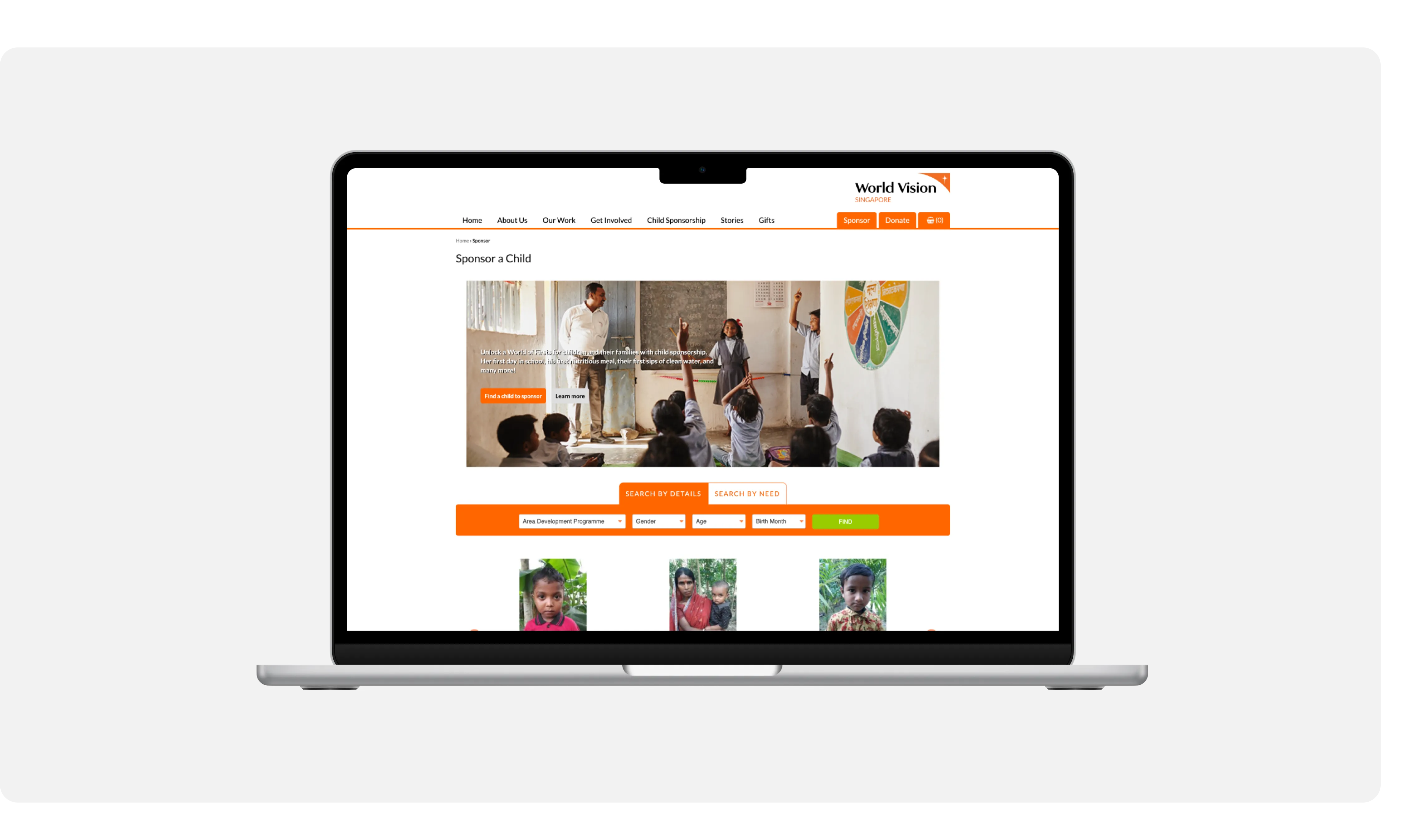
World Vision Singapore came to us with one goal in mind: revamp their website for a better user experience. The scope was purely UX: design and optimise the end-to-end user journey for both the Child Sponsorship and One-Life-Fund programmes, from initial awareness through to the final sponsorship or donation, with seamless navigation, clear communication of key information and simple access to the right actions.
[ scope of work ]
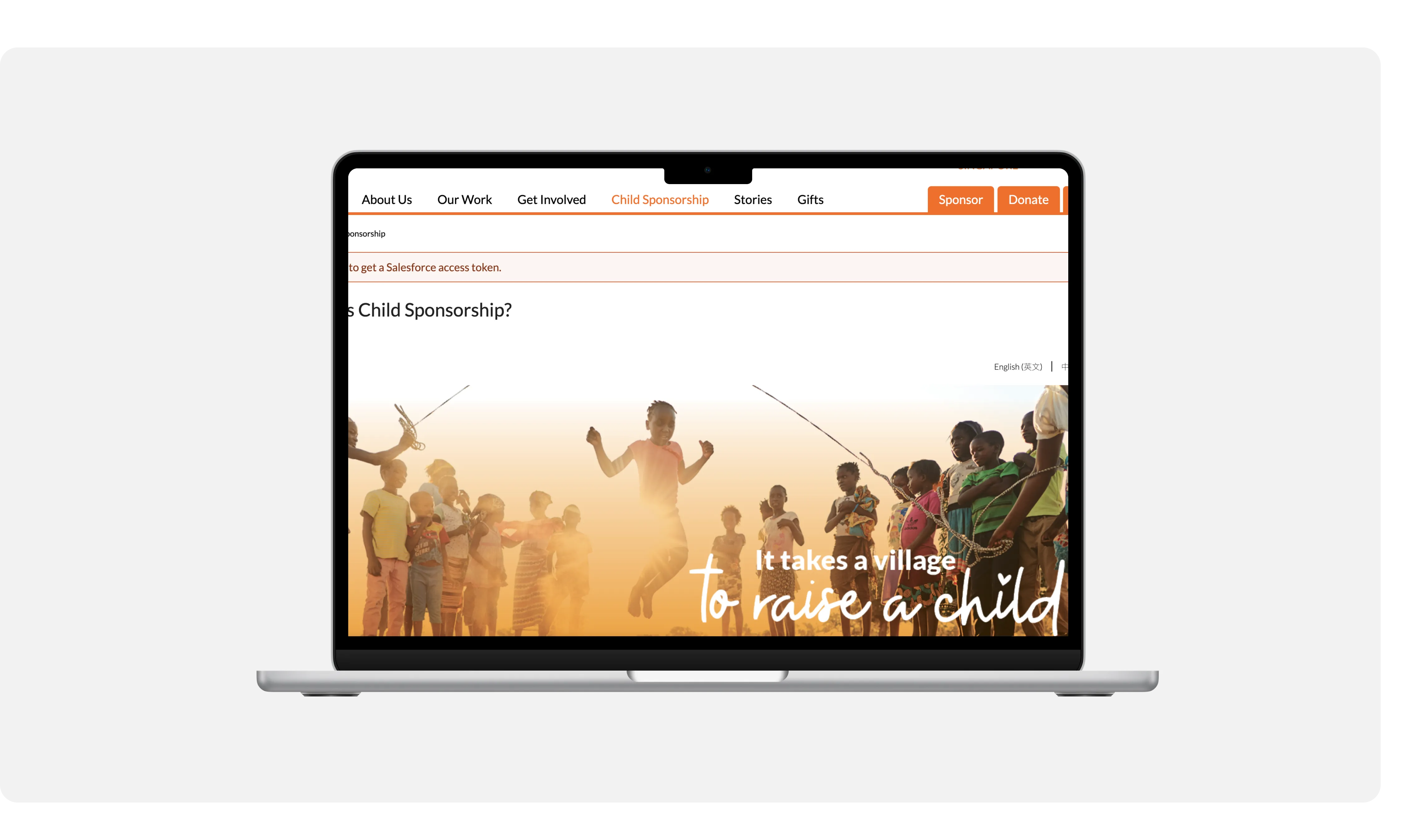
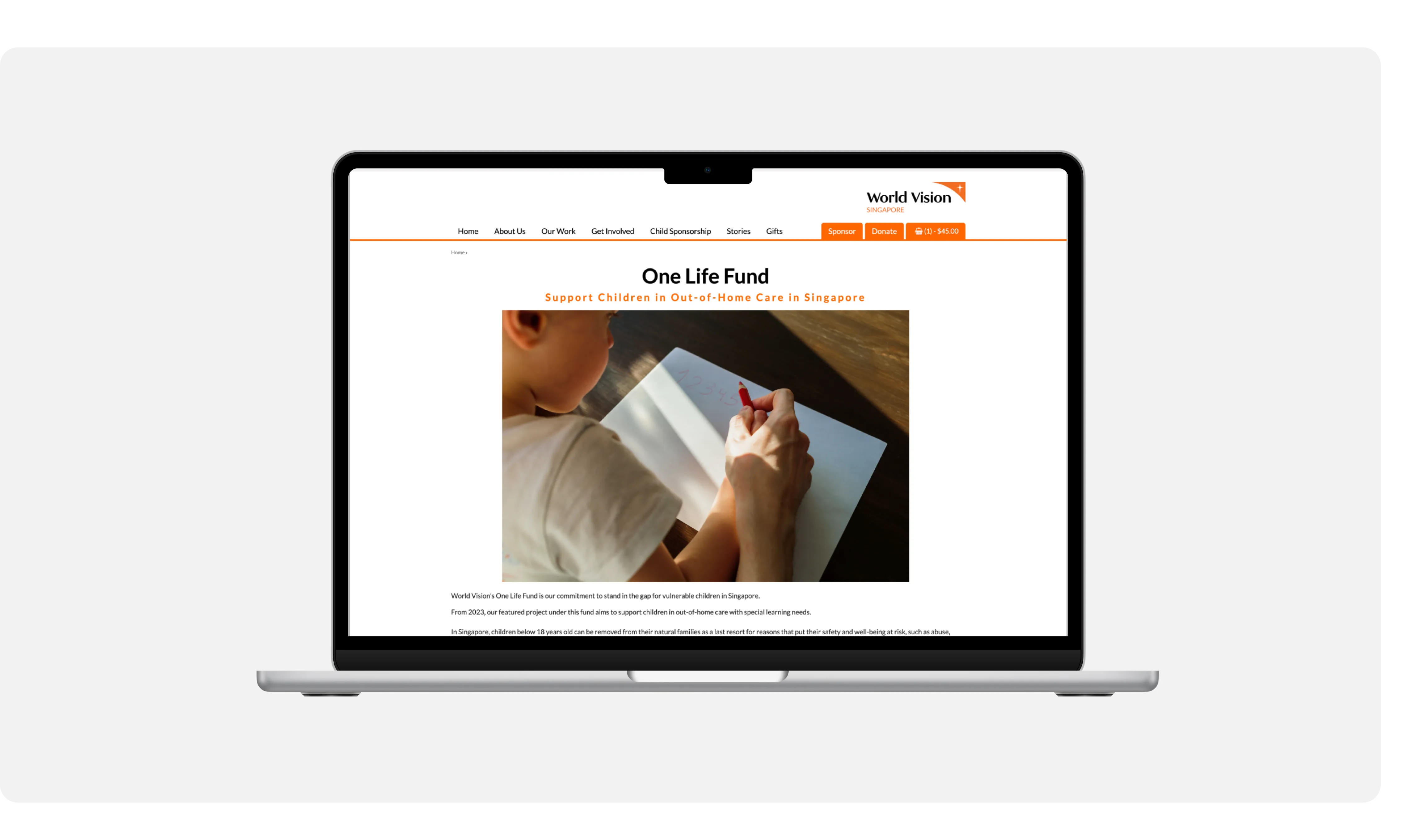
Child Sponsorship and One-Life-Fund
The redesign addressed the specific needs of both initiatives, creating an engaging and intuitive platform for potential donors to contribute meaningfully.
[ identifying problems ]
Uncovering gaps: issues in the donation journey
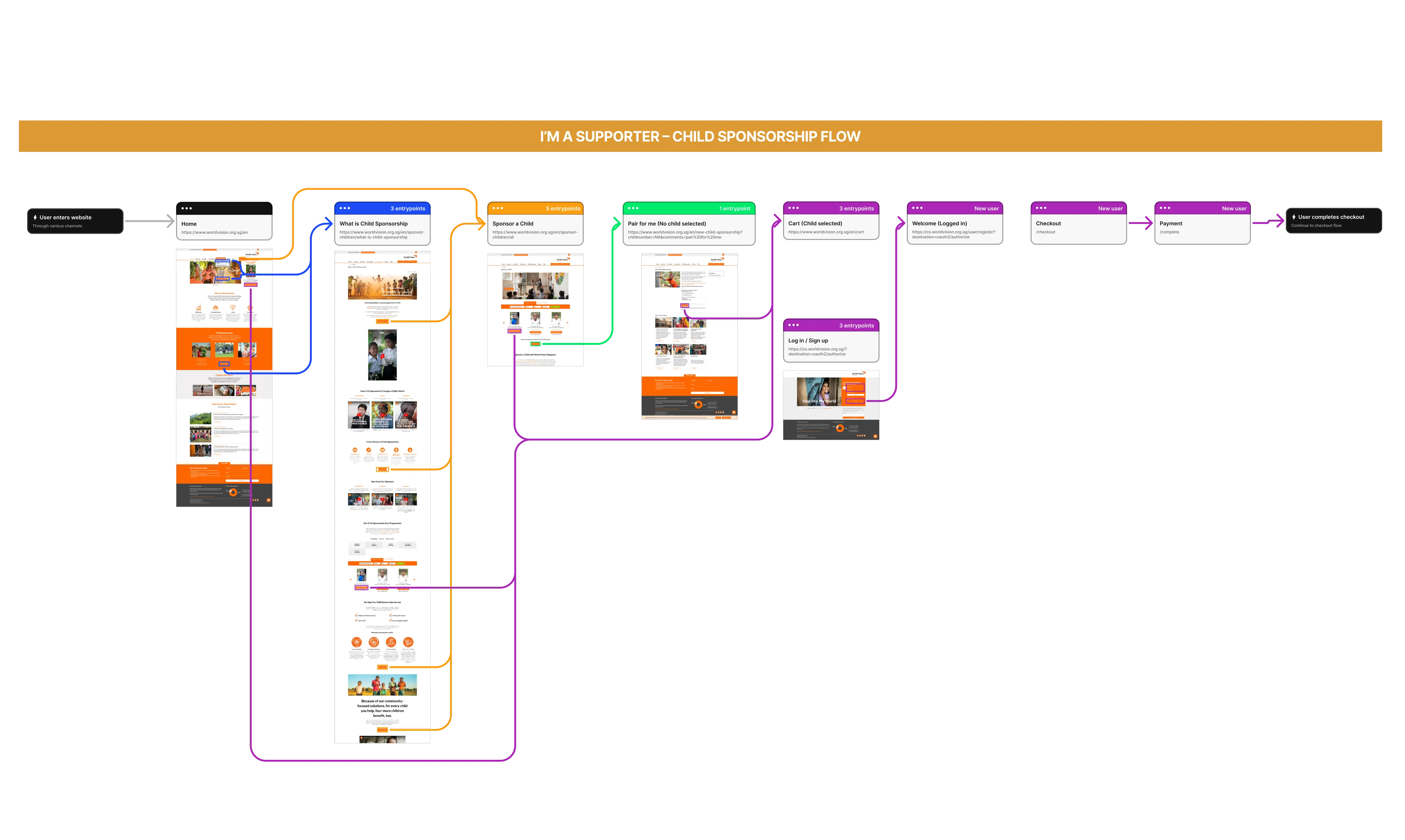
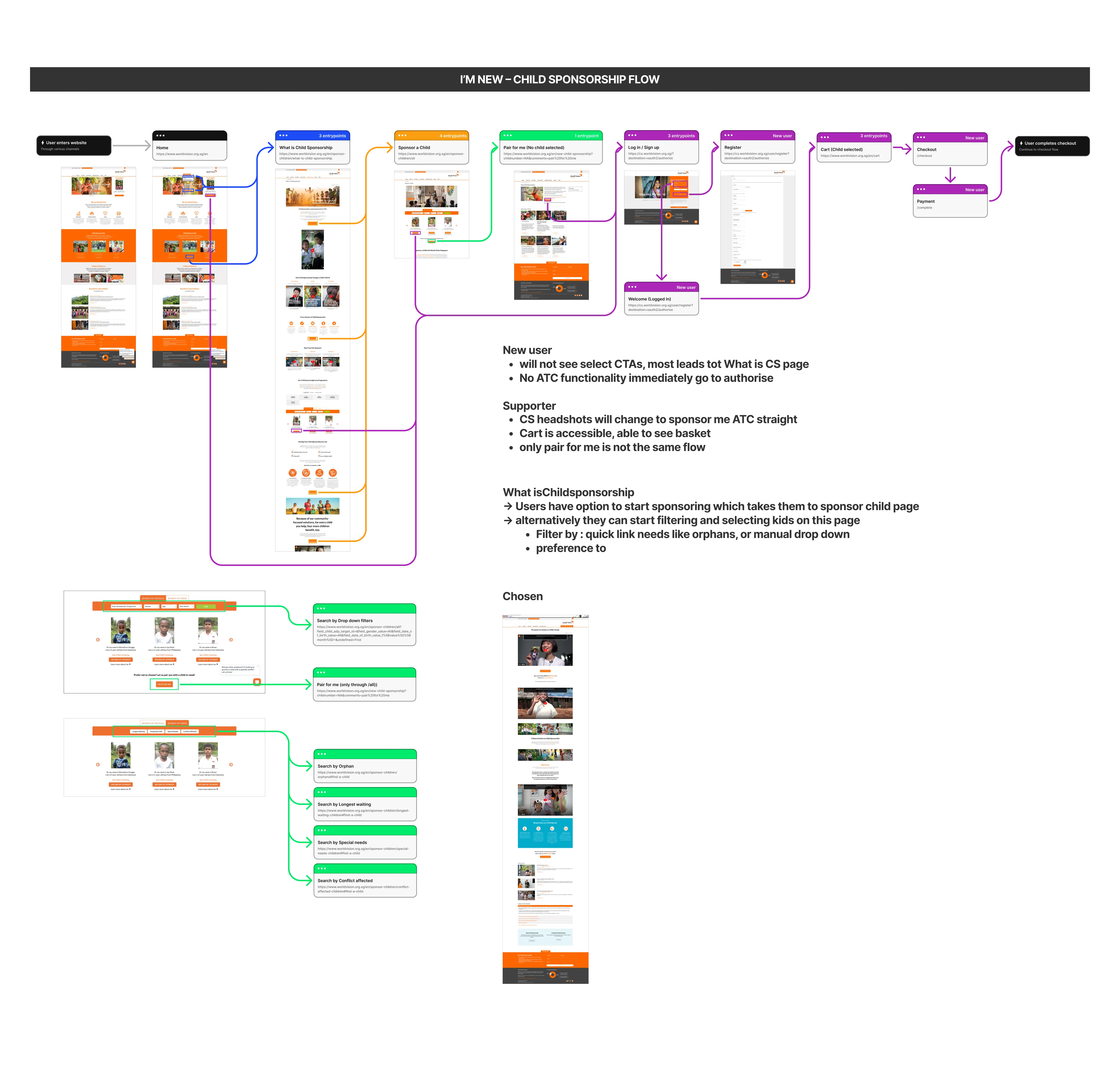
To find the friction in the Child Sponsorship journey, we began with a comprehensive website audit, mapping the steps donors take to navigate the site, understand the initiative and complete their contribution.
World Vision Singapore offers two entry points: when users first land on the site, they choose between “I’m new” and “I’m a supporter”.
[ audit findings ]
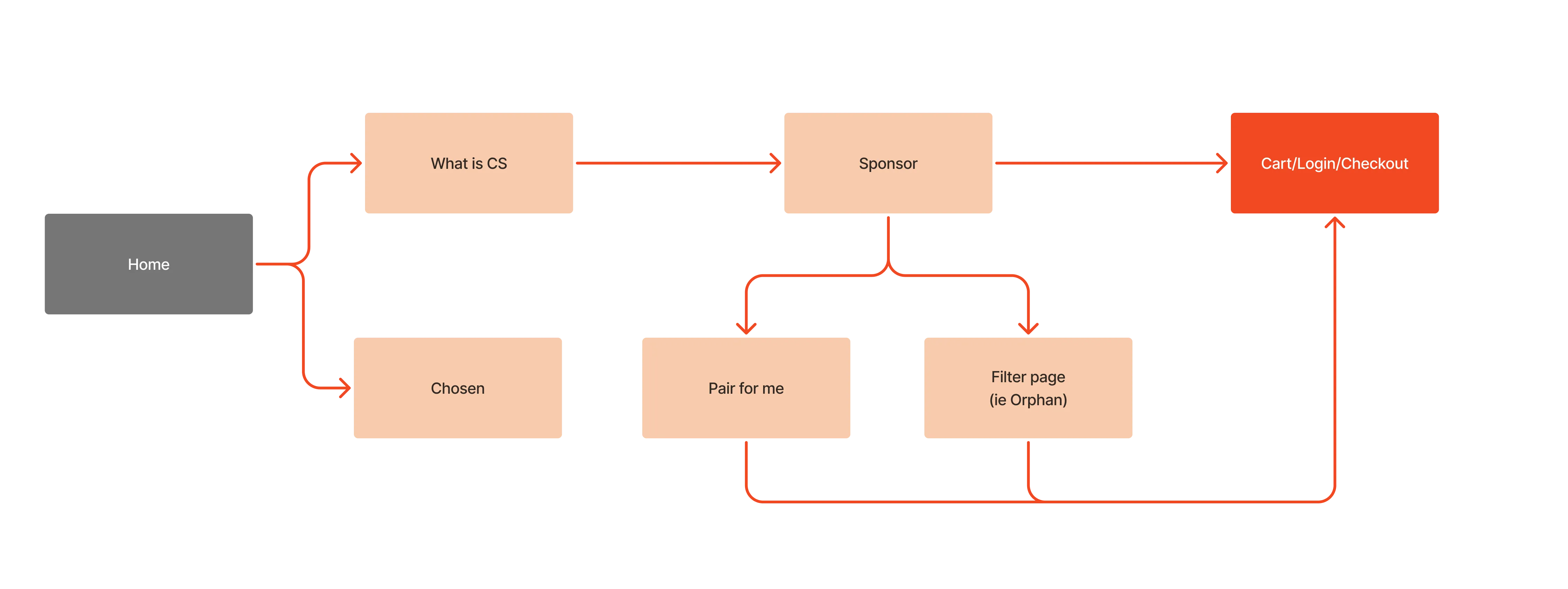
The Child Sponsorship flow puts barriers in the user’s way
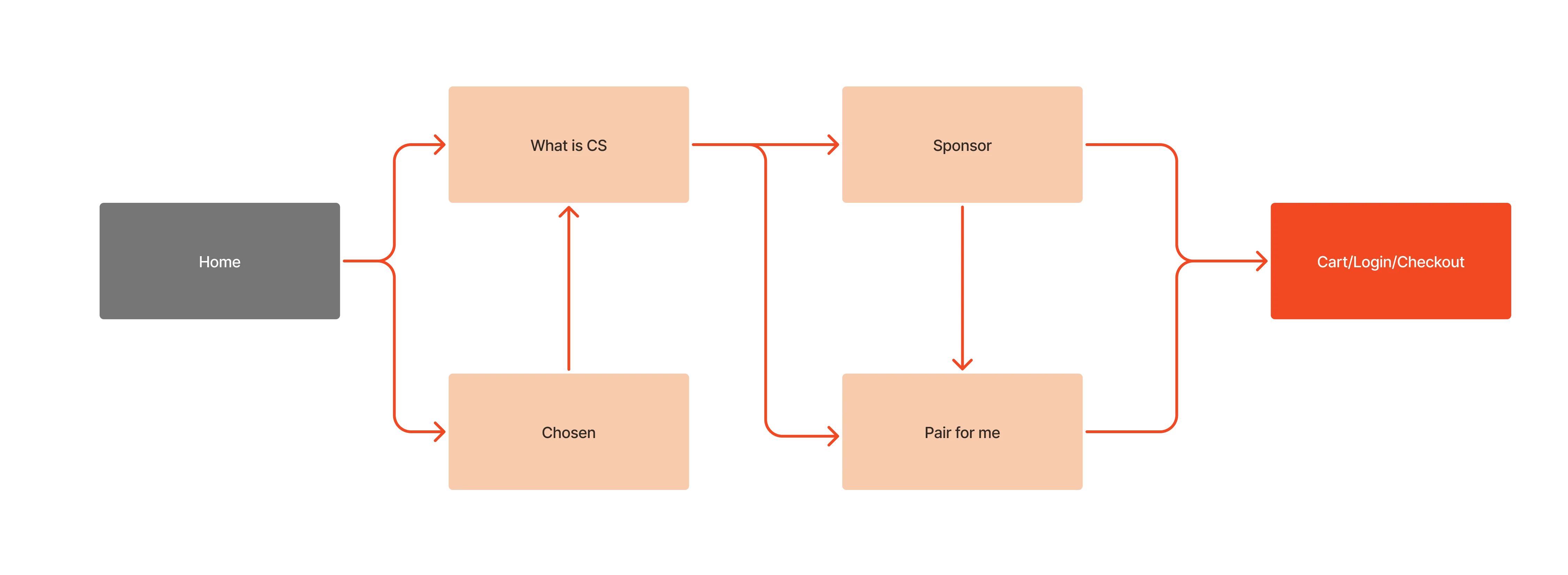
Fixing these gaps allows a smoother user experience
[ child sponsorship and chosen ]
Interlinking Child Sponsorship pages to increase awareness
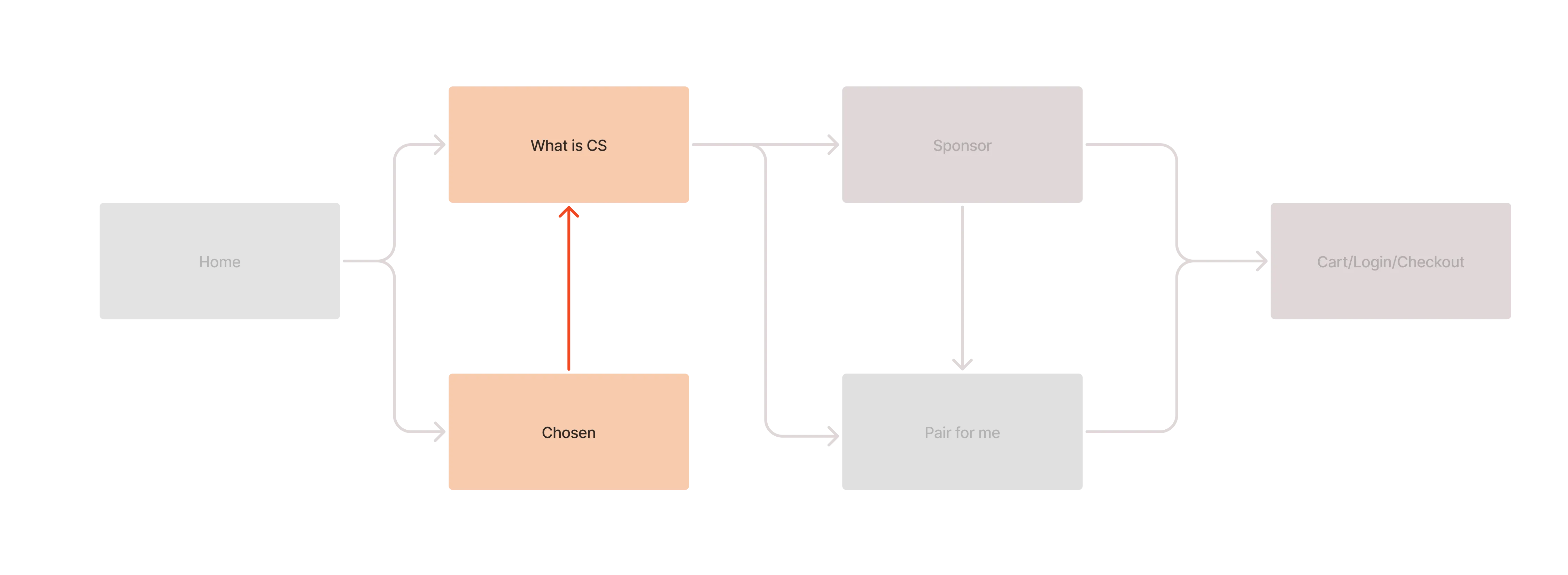
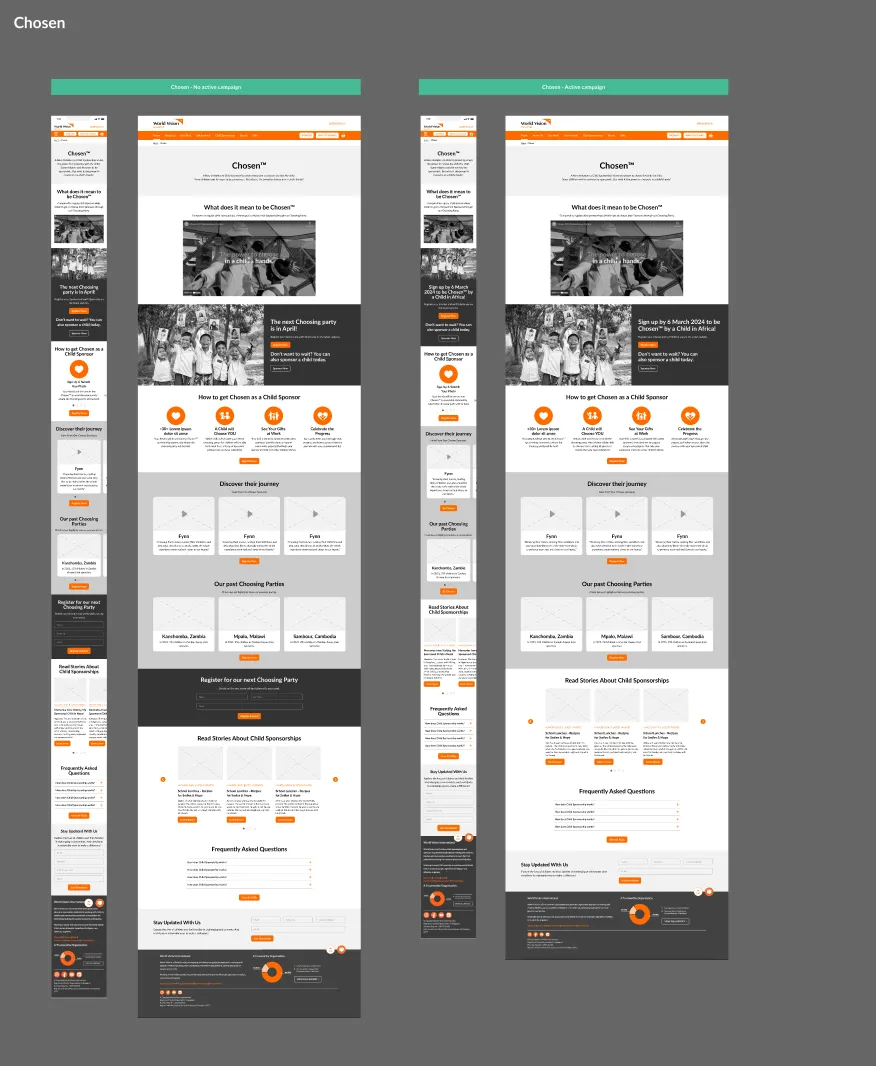
Users need to find the information that helps them decide. In the original design, the Child Sponsorship and Chosen pages weren’t linked. Chosen flips traditional sponsorship: children select their own sponsors. Keeping the pages apart created a disconnect, so we proposed linking them so users can explore both options seamlessly.
[ sponsor page ]
Separate educational pages and filtered search for faster checkout
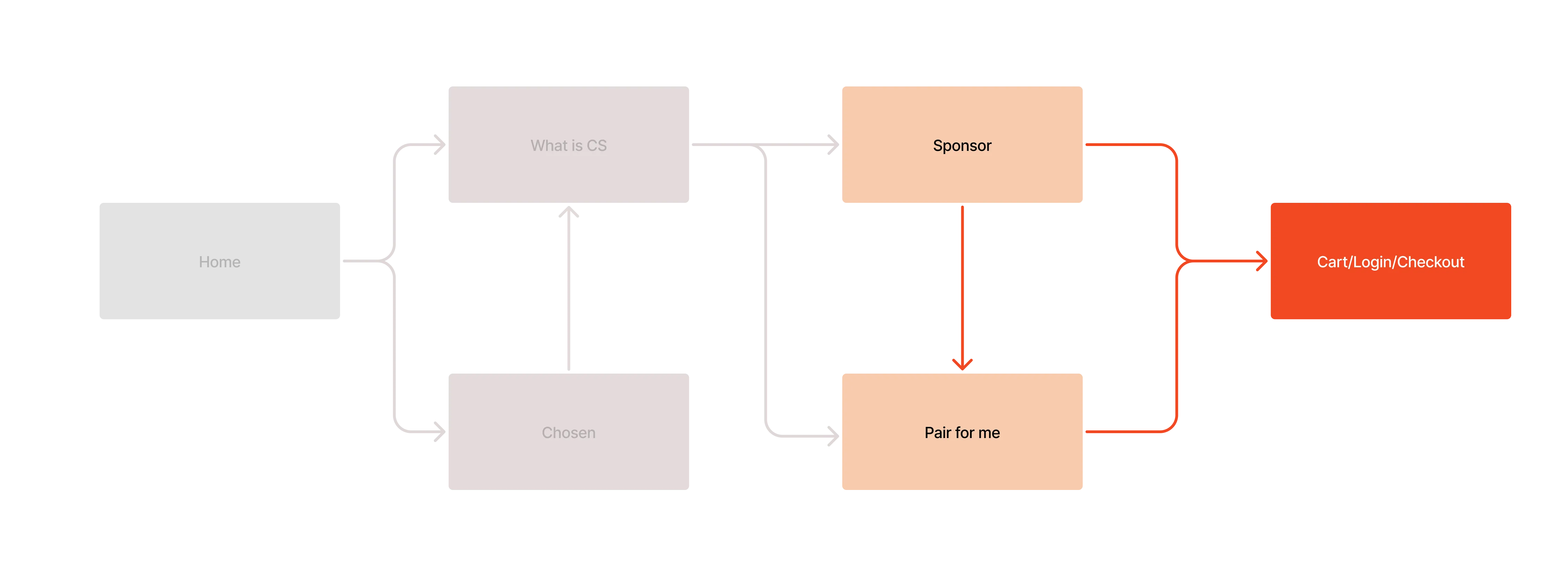
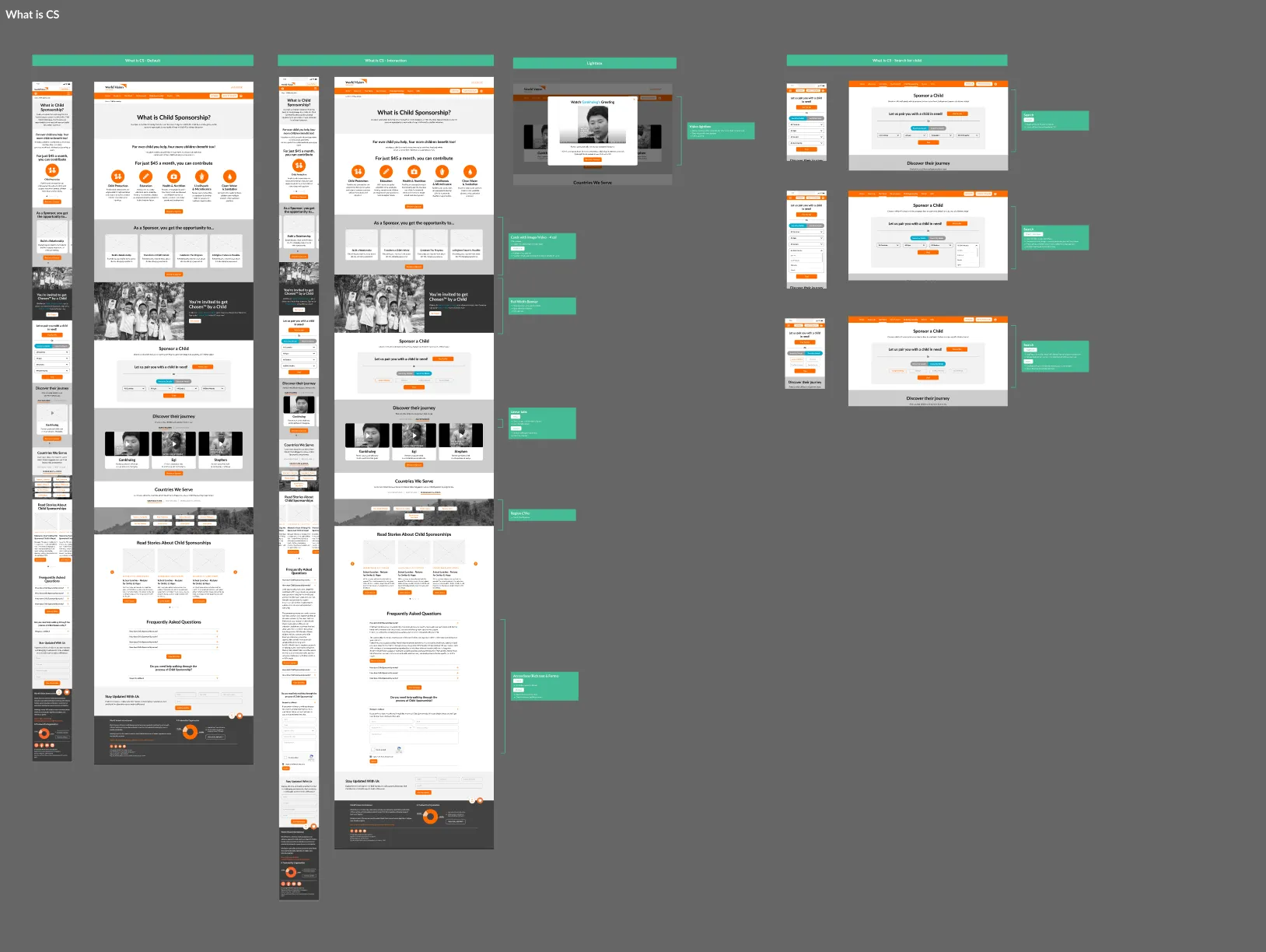
The What is Child Sponsorship page works well: it gives users space to learn about the programme before committing. Keeping educational content separate from sponsorship actions lets users understand first, without distraction, and filtered search results guide them straight to relevant sponsorship opportunities.
[ user interviews ]
Interviews to find pain points in how people use the site
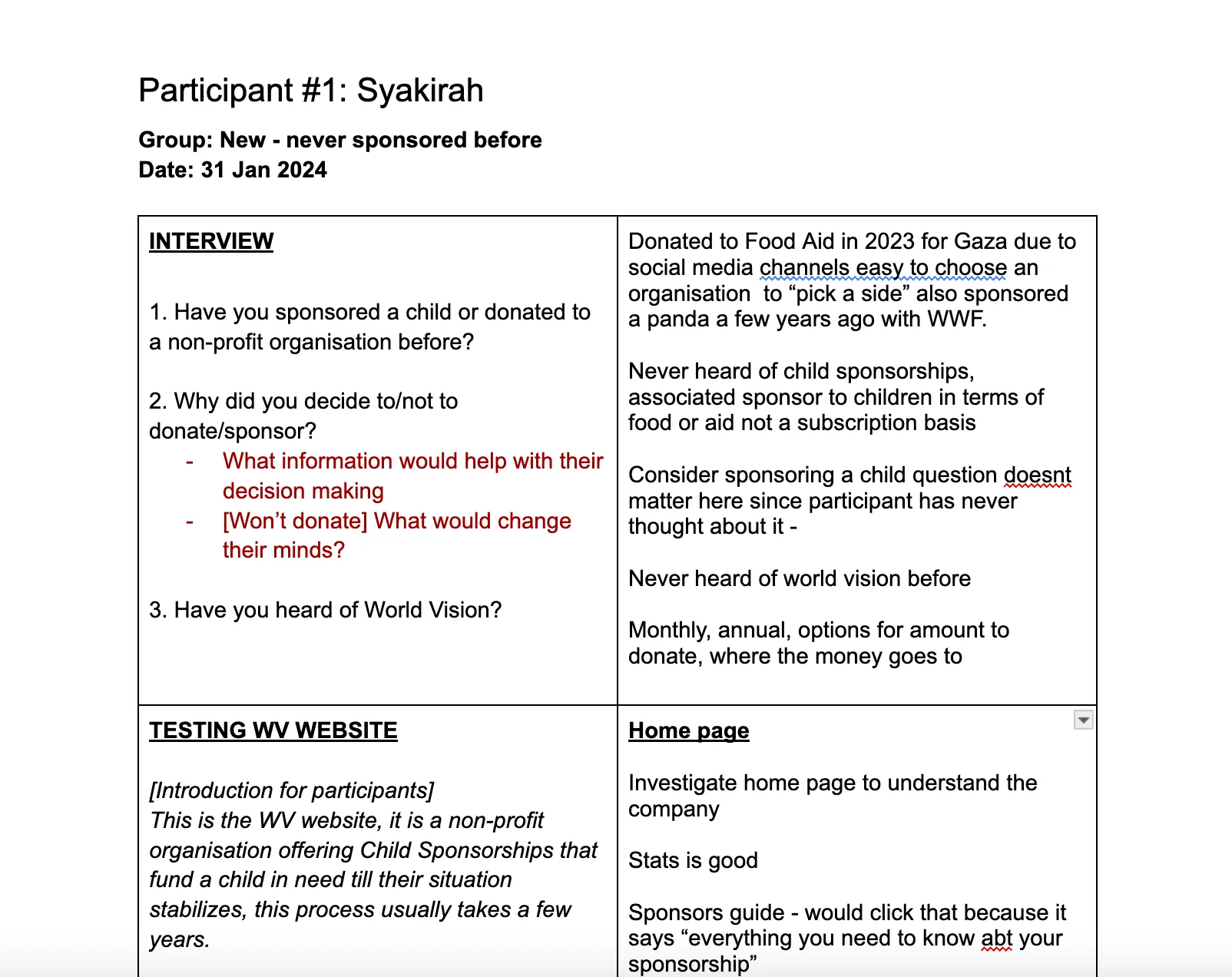
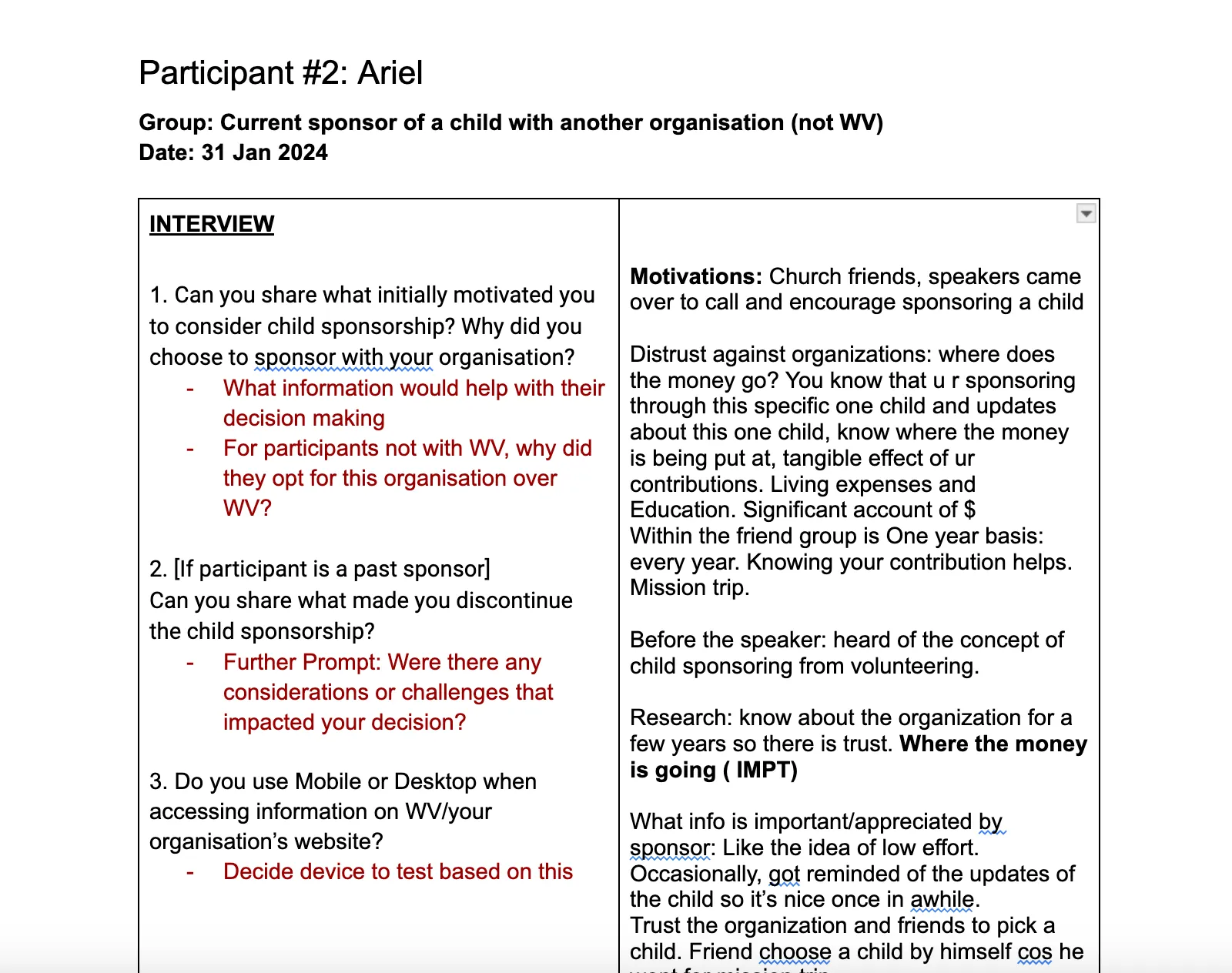
To understand user behaviour, we interviewed people about how they navigate the site, what challenges they face and where they get stuck. We then synthesised the data, organising key insights and verbatim quotes to find recurring themes, pain points and needs.
- 5
- users interviewed
- 3
- had donated to a non-profit
- 2
- had donated to World Vision
[ findings ]
- [1]The homepage is too early for users to make a sponsorship decision
- [2]Users want transparency on how their donations support the child
- [3]Search and extra steps create friction for new users
[ solution ]
Which brings us to our wireframe iterations
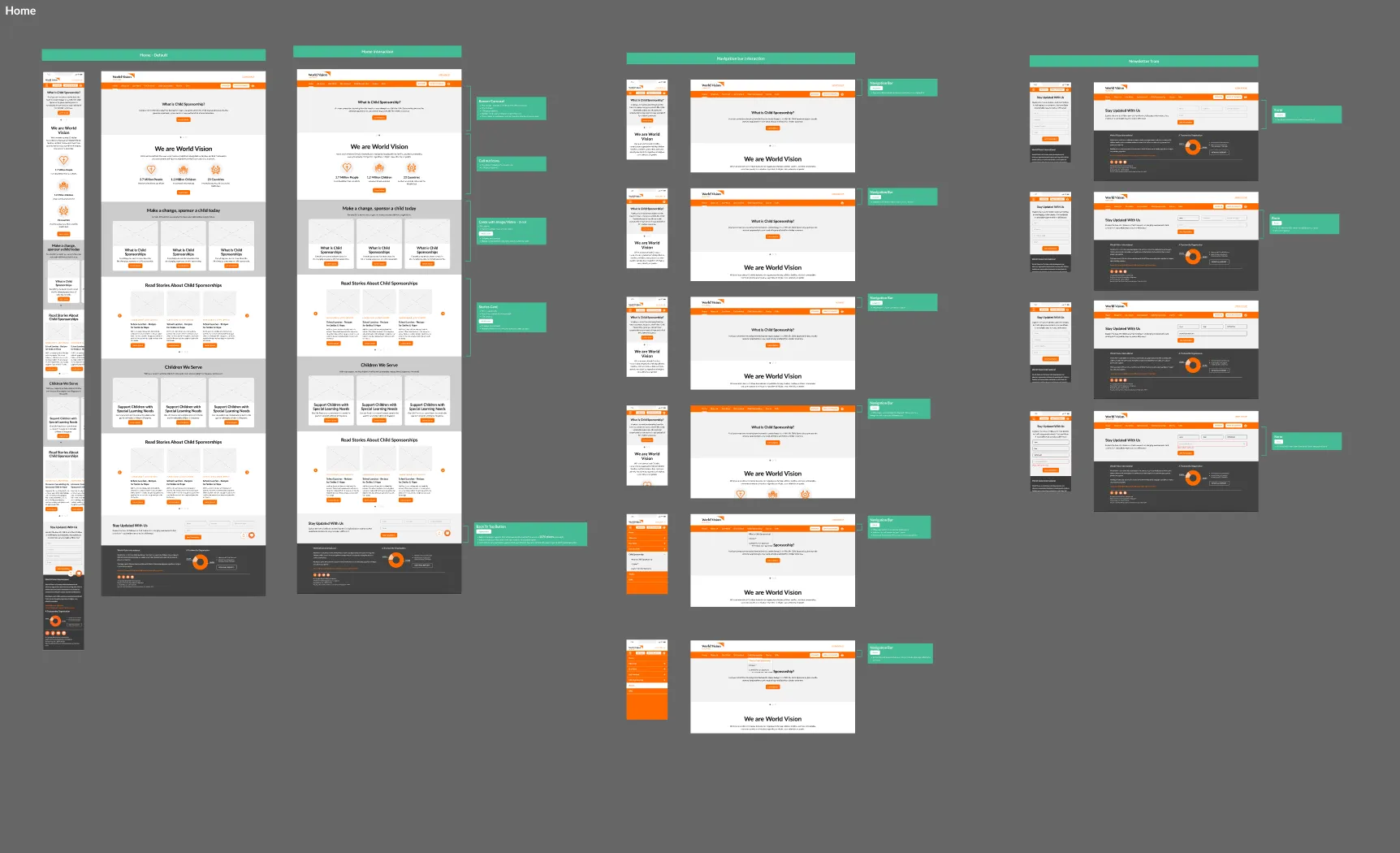
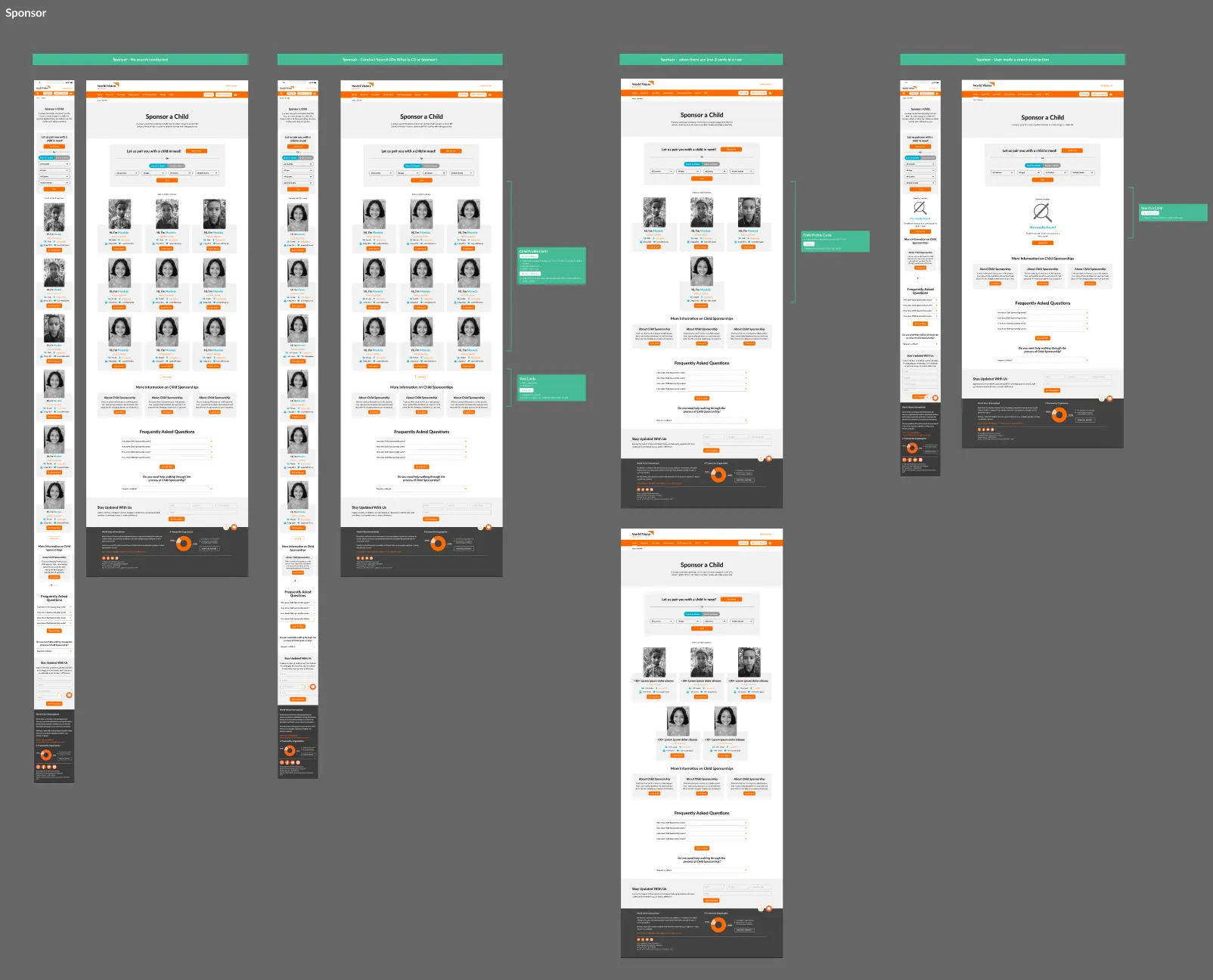
We designed wireframes to address the key pain points from the interviews. The CMS (Drupal 7) couldn’t support some solutions as first envisioned, so we proposed alternatives within its capabilities that still improved the experience, keeping the recommendations practical for the client’s technical setup.
[ final designs ]
After multiple iterations, the designs launched
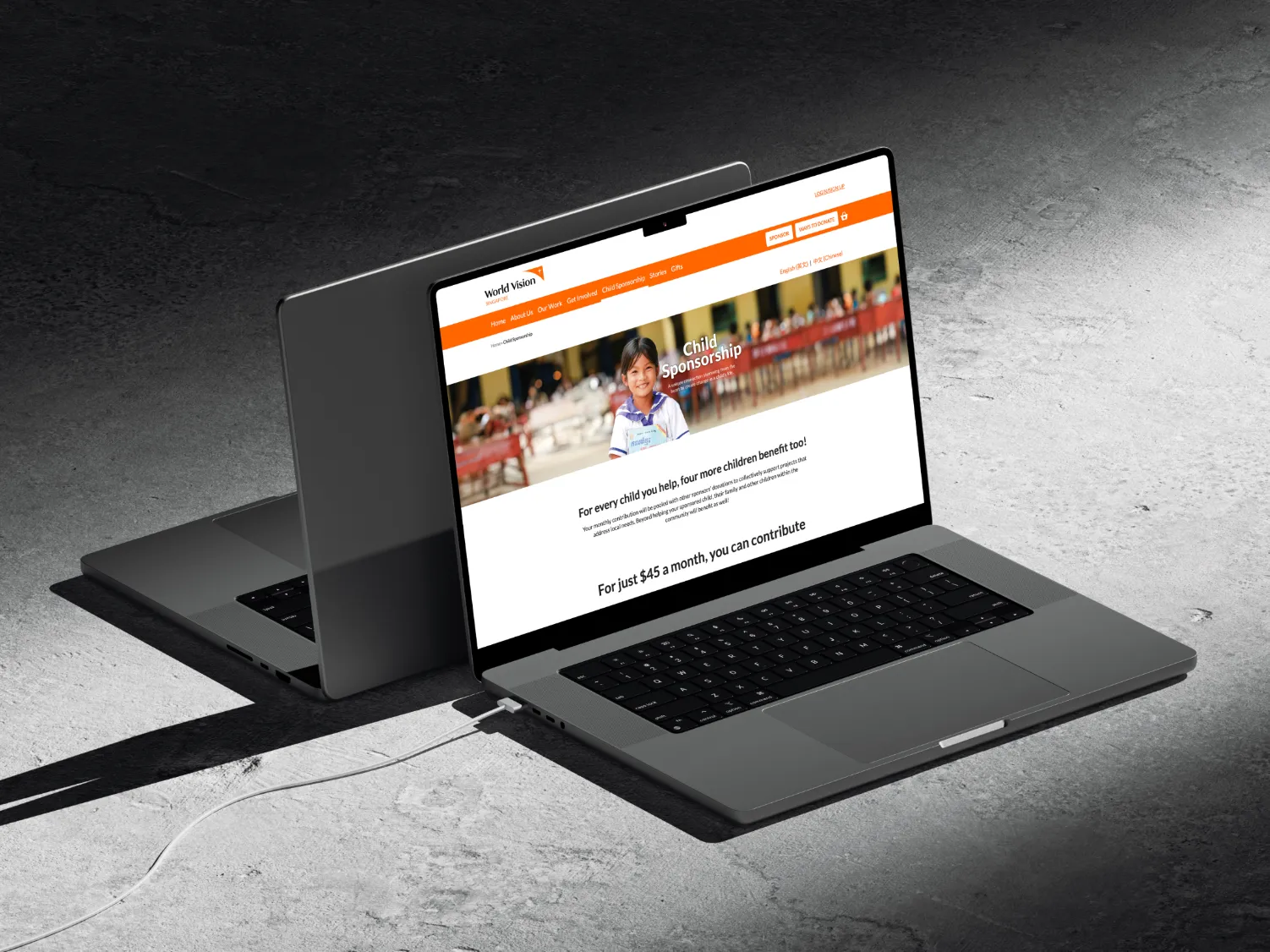
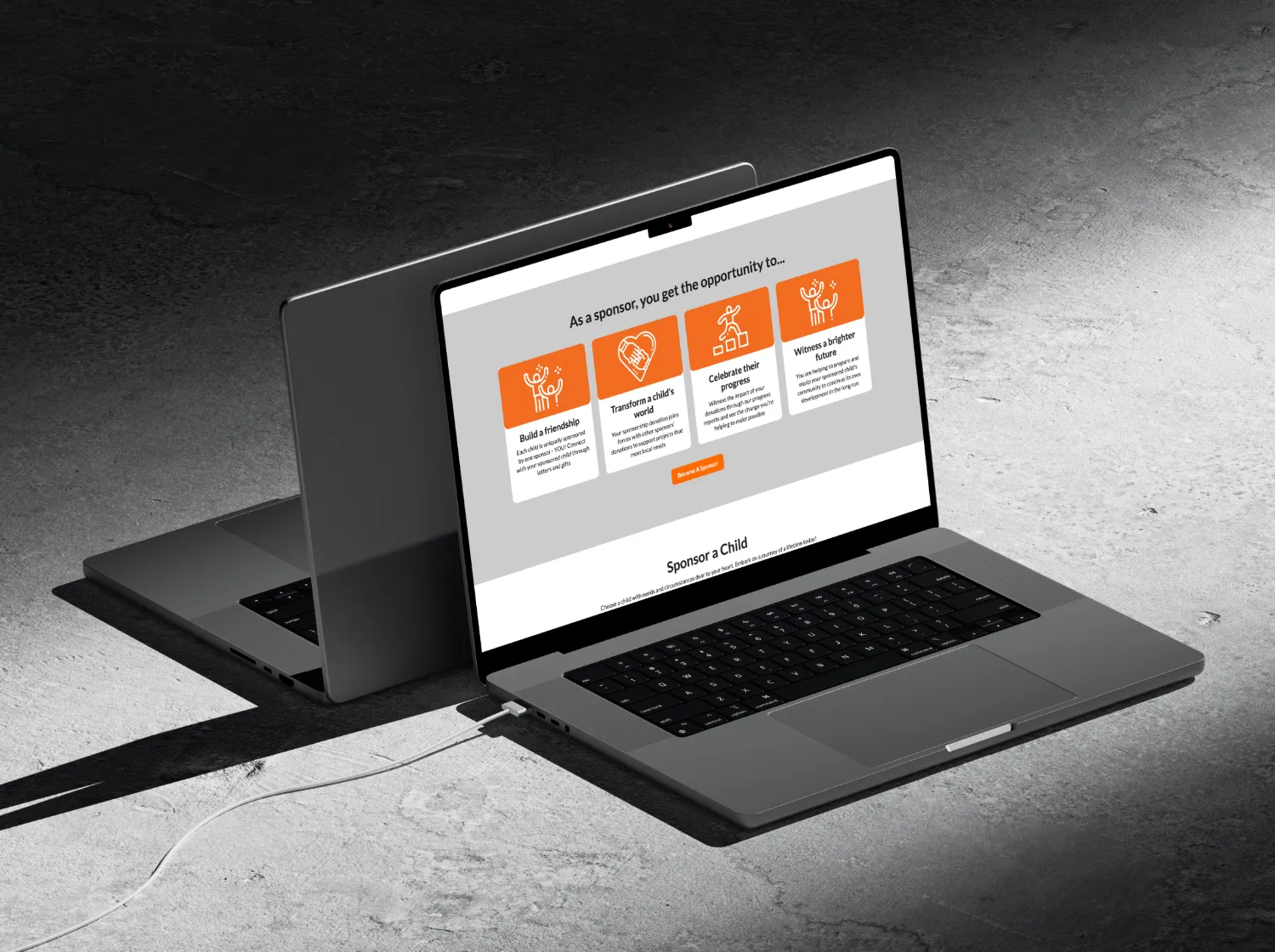
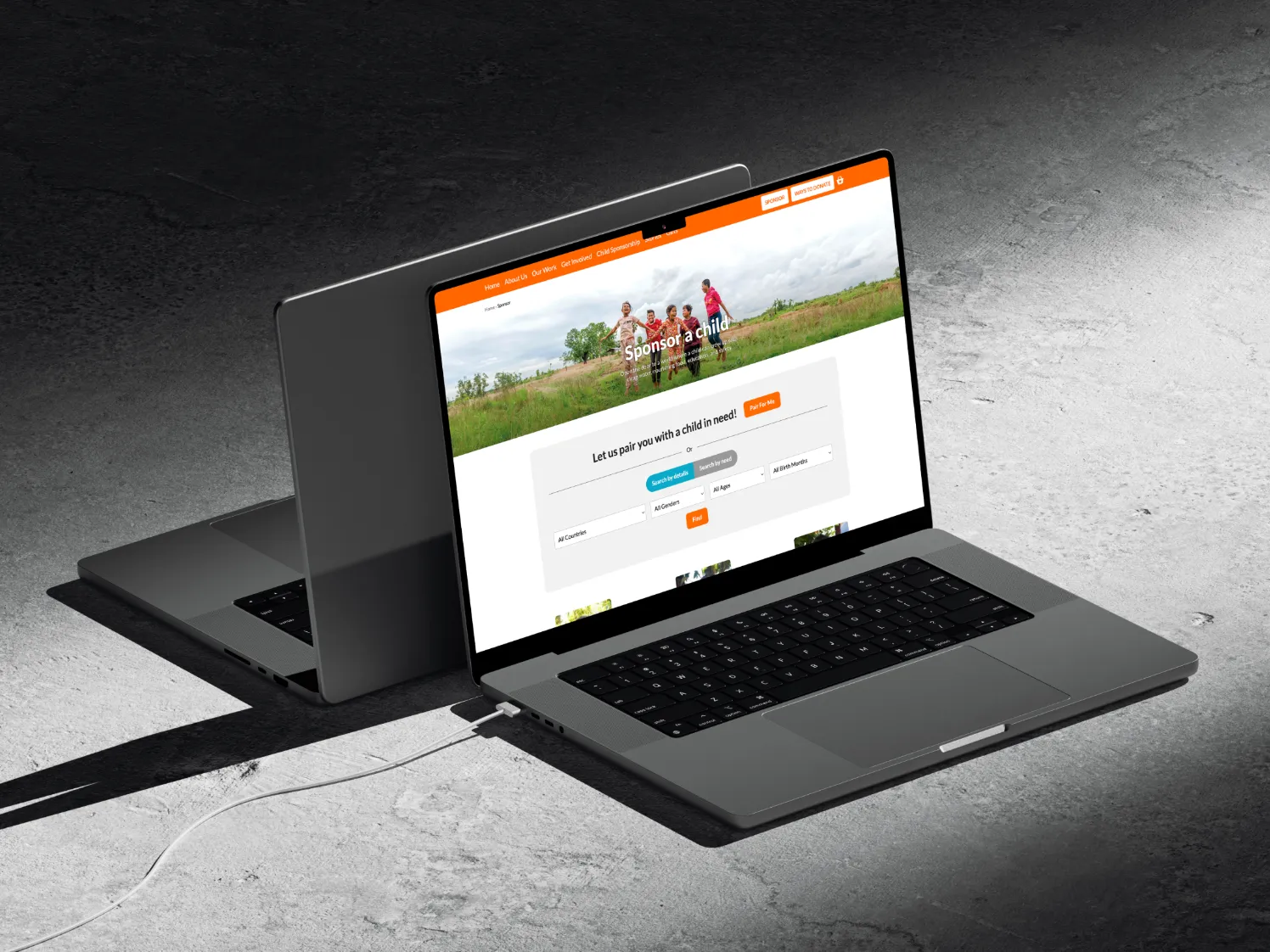
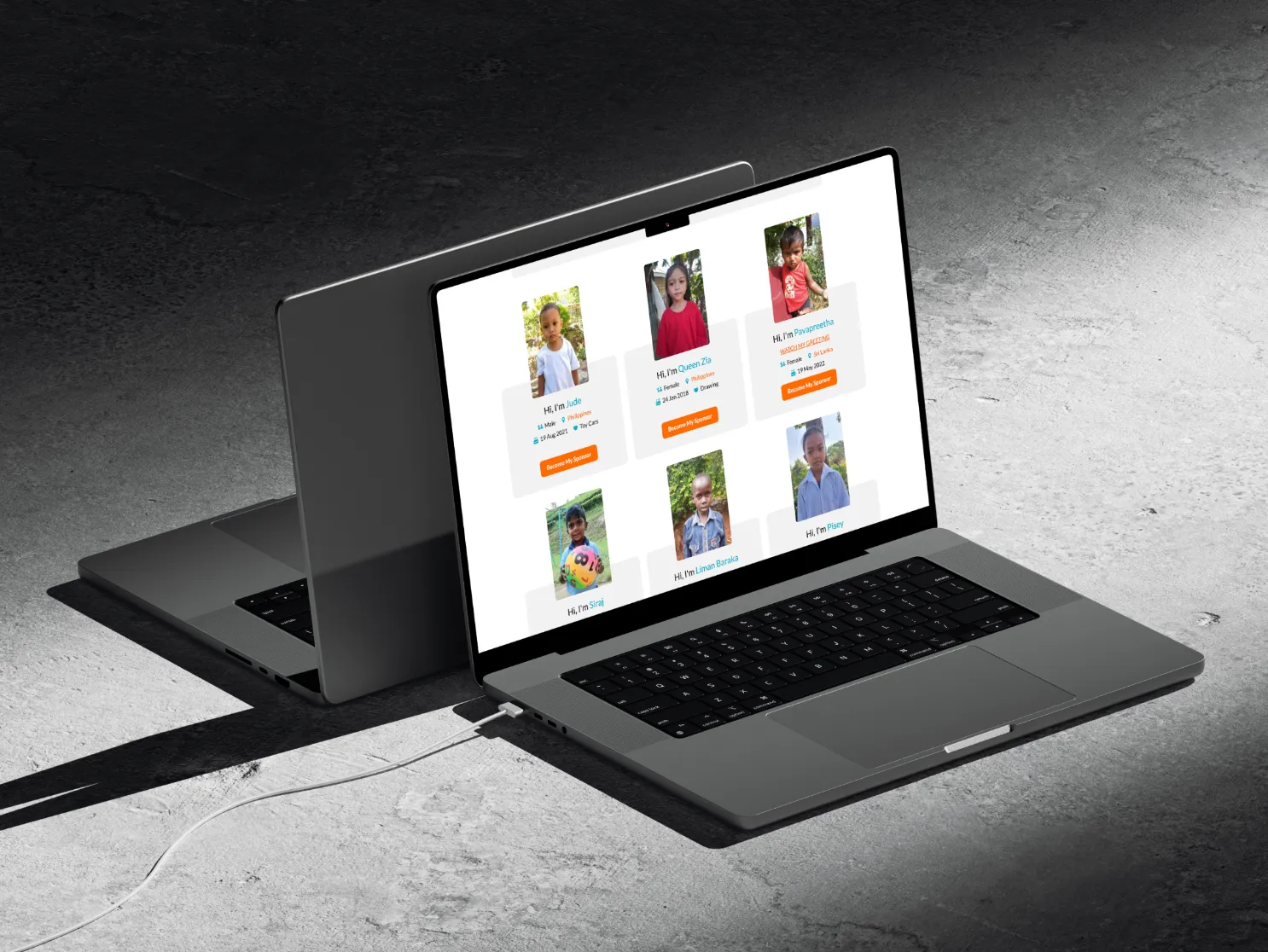
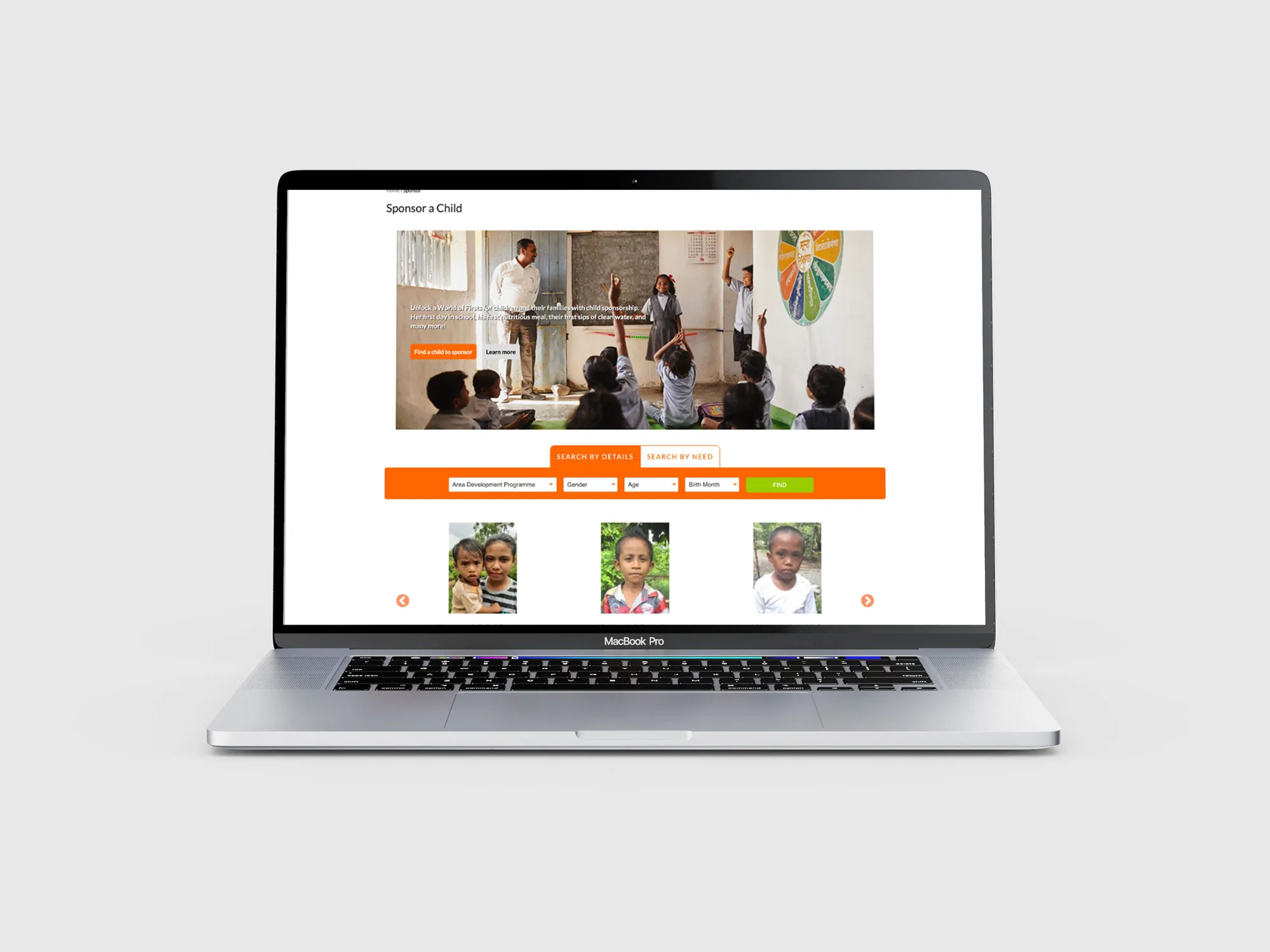
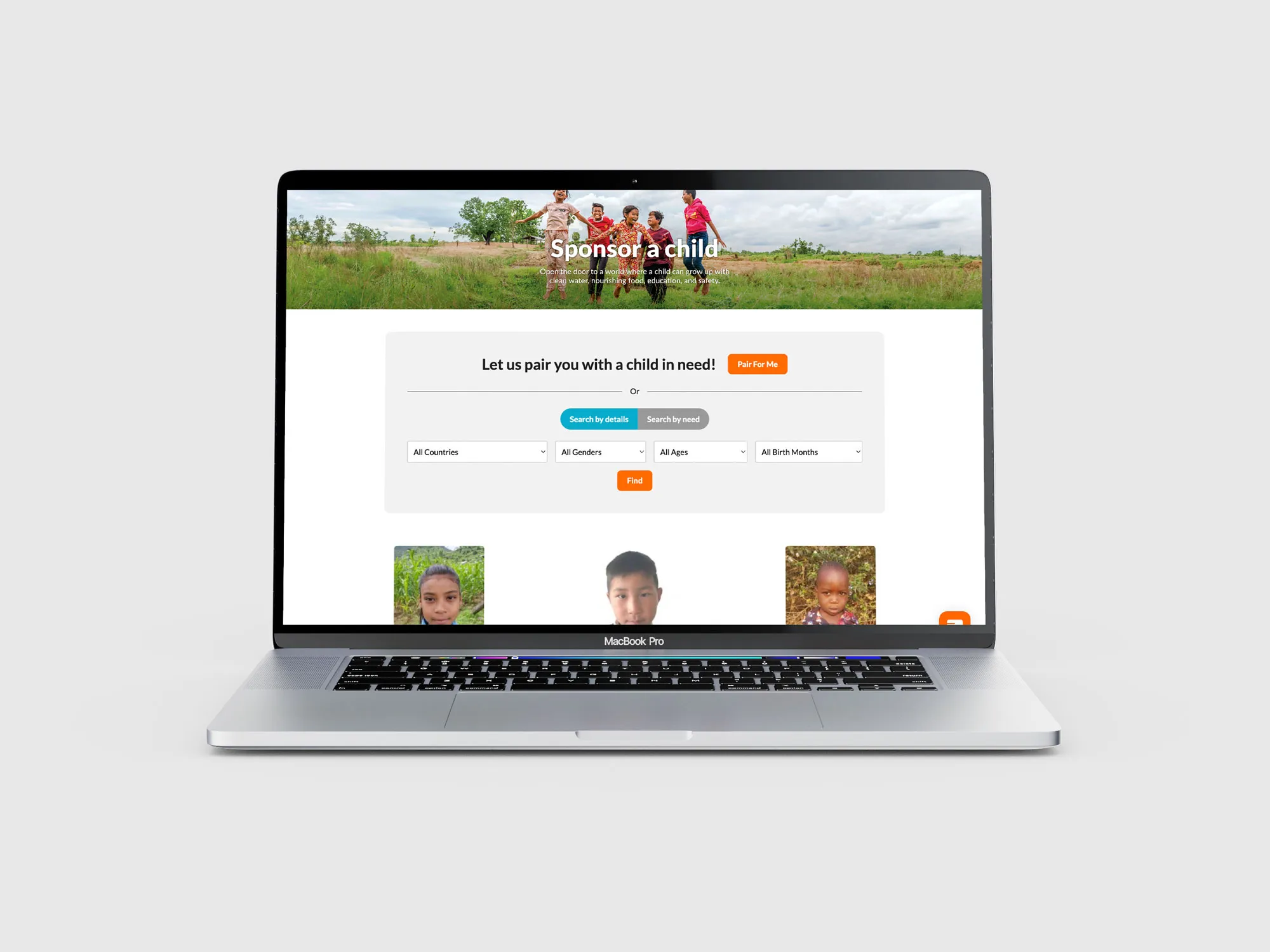
We prioritised showing how donations directly impact the child, since that’s what people need to know before deciding to sponsor. In the original design, child profiles sat beside the search module, and some users felt uncomfortable swiping through profiles without a clear sense of where their donation would go.
We redesigned the search so users first explore the areas of need they want to support, then see child profiles. We also moved search to the top of the page, so once users understand how they’ll help, it leads them straight to the call to action.
[ side by side ]
Before and after
[ final takeaways ]
Running effective user interviews
One important lesson was to be clear about what we want from a user interview. A clear focus structures the session and makes the best use of time. It’s also important to ask open-ended, non-leading questions, so we get honest feedback and the user’s true perspective.
This is one of my favourite projects: I was designing a more intuitive way for people to sponsor a child, and knowing my work could remove friction from that, even in small ways, made it incredibly meaningful.